Colors.zip
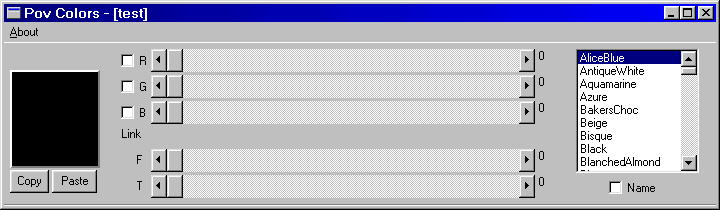
This program is use to read and place colors of a POV file, using the clipboard.
It has the standard color slide bars plus one each for transmit and filter.
The color sliders can be linked so you can adjust the shade of a color.
And there keys that can maximize or minimize a slider.
You can read or paste the name of a color, if it is in Ken's Tyler's
color file Kolors.inc. This works for everything but the grays and clear.
(this file is in the zip)
When pasting a color each color part is 4 decimal places long and the program
will drop the filter or transmit if their value is zero and if all the remaining values
are the same then only what is needed is placed.
Here are some examples of what Colors puts out.
rgb 0.5333
rgbf<0.5333,0.8824,0.7529,0.5490>
rgbt<0.1529,0.3255,0.6353,0.6706>
rgbft<0.6000,0.9569,0.5608,0.4392,0.6078>
Beige
This program is use to read and place colors of a POV file, using the clipboard.
It has the standard color slide bars plus one each for transmit and filter.
The color sliders can be linked so you can adjust the shade of a color.
And there keys that can maximize or minimize a slider.
You can read or paste the name of a color, if it is in Ken's Tyler's
color file Kolors.inc. This works for everything but the grays and clear.
(this file is in the zip)
When pasting a color each color part is 4 decimal places long and the program
will drop the filter or transmit if their value is zero and if all the remaining values
are the same then only what is needed is placed.
Here are some examples of what Colors puts out.
rgb 0.5333
rgbf<0.5333,0.8824,0.7529,0.5490>
rgbt<0.1529,0.3255,0.6353,0.6706>
rgbft<0.6000,0.9569,0.5608,0.4392,0.6078>
Beige
This
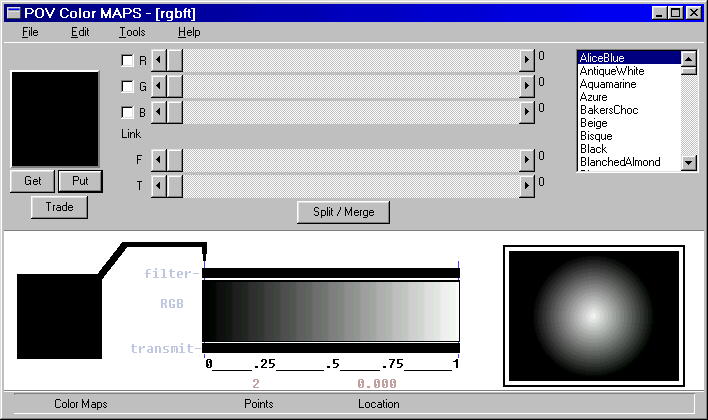
program makes a color_map . They can be loaded and saved
or put to the clipboard and place directly into a POV file. It can read
from the clipboard if what was placed there is just right. The files that
save or loaded are the Map file type. There is way to put remarks and
or a time stamp on a file.
What I've done here is to expanded the Colors program, added a
display, color table and a way to put the colors where ya want.
I dropped using names. The output from Colmap has the same
numerical values only wrapped in the color_map function.
There is a way to fill up a color_map FAST with a dialog box.
The color_map can have the POV limit of 254 different entries.
There is a way to have two colors at the same location.
You can place, copy, trade colors in the map fairly easy.
or put to the clipboard and place directly into a POV file. It can read
from the clipboard if what was placed there is just right. The files that
save or loaded are the Map file type. There is way to put remarks and
or a time stamp on a file.
What I've done here is to expanded the Colors program, added a
display, color table and a way to put the colors where ya want.
I dropped using names. The output from Colmap has the same
numerical values only wrapped in the color_map function.
There is a way to fill up a color_map FAST with a dialog box.
The color_map can have the POV limit of 254 different entries.
There is a way to have two colors at the same location.
You can place, copy, trade colors in the map fairly easy.
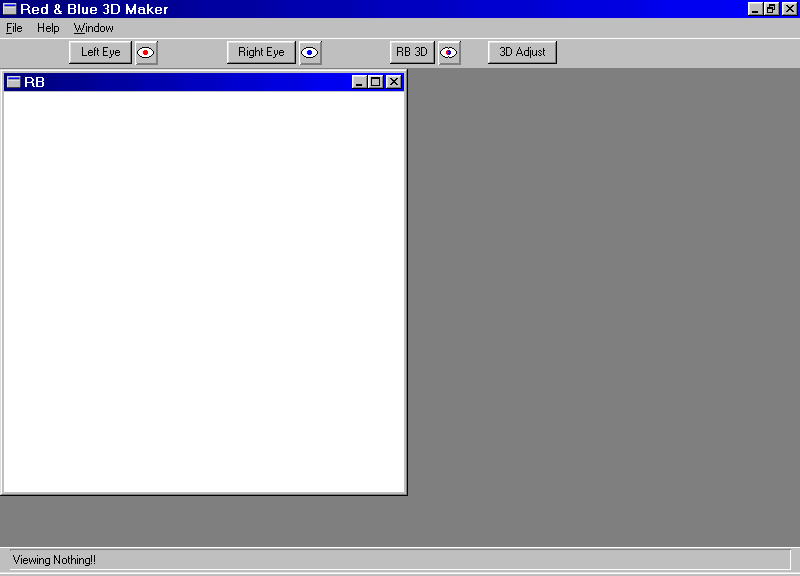
This program helps makes
Red/Blue anaglyphs.
(those 3d pictures
that use the colored glasses)
What this does is takes two TGA format
pictures of the same size and combines them.
You have some choices on how to do this. You can have a Black and White or Color
anaglyph. You can adjust the placement of the pictures so that the 3d effect is perfect.
The anaglyph is saved in TGA format, and is cropped to the adjustments.
NOW with FASTER LOADS!!
What I've learn about anaglyphs I've got off the net. Here are a few places I've been.
How to make Anaglyph Red-Blue Pictures How to make 3D-pictures by computer
Creating stereoscopic images with POVRay
You can use POV to make the two images you need to make an anaglyph.
I've included some POV files in the zip that can help.
You have some choices on how to do this. You can have a Black and White or Color
anaglyph. You can adjust the placement of the pictures so that the 3d effect is perfect.
The anaglyph is saved in TGA format, and is cropped to the adjustments.
NOW with FASTER LOADS!!
What I've learn about anaglyphs I've got off the net. Here are a few places I've been.
How to make Anaglyph Red-Blue Pictures How to make 3D-pictures by computer
Creating stereoscopic images with POVRay
You can use POV to make the two images you need to make an anaglyph.
I've included some POV files in the zip that can help.
You don't have to
use POV you can use a digital camera. I do.
That is why the program has adjustments in both directions.
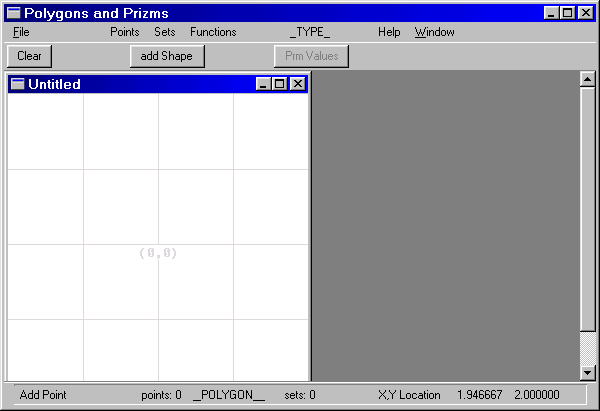
This program makes polygons
and prisms. If you ever tried
to change prism spline types by hand then this program is for you.
That's not all it can do. You can change a polygon into prism and
vice versa. You can Draw a shape, adjust the control points, copy it,
move it, scale it, rotate it, or even delete it.
This is first the program I made that'll let you open more than one file
at a time. It loads and saves special file types pol, prm. It doesn't use
the clipboard. There is way to put remarks and or a time stamp on a file.
I've setup the files so there's an object call Thing that's the polygon or prism.
To use it in POV just #include "Filename.typ" object{Thing}
This is the first program I wrote for POV.
So there's no undo . The way the program is setup there are three menus
for working on the screen. One deals only with points, another deals only
with shapes and one deals with the whole screen. The screen itself
is 2 pov units square, no matter the real screen size.
Load PolPrm
to change prism spline types by hand then this program is for you.
That's not all it can do. You can change a polygon into prism and
vice versa. You can Draw a shape, adjust the control points, copy it,
move it, scale it, rotate it, or even delete it.
This is first the program I made that'll let you open more than one file
at a time. It loads and saves special file types pol, prm. It doesn't use
the clipboard. There is way to put remarks and or a time stamp on a file.
I've setup the files so there's an object call Thing that's the polygon or prism.
To use it in POV just #include "Filename.typ" object{Thing}
This is the first program I wrote for POV.
So there's no undo . The way the program is setup there are three menus
for working on the screen. One deals only with points, another deals only
with shapes and one deals with the whole screen. The screen itself
is 2 pov units square, no matter the real screen size.
Load PolPrm
This
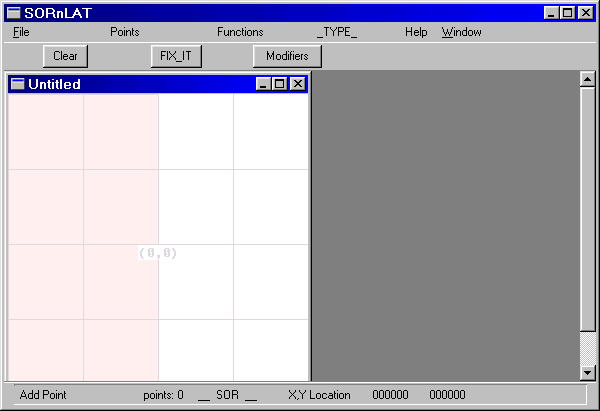
program makes Surface of Revolution and Lathes. You
can change a
SOR into Lathe and vice versa. You can Draw a shape, adjust the control points
move it, scale it, or even delete it. It loads and saves special files sor, lat types.
It doesn't use the clipboard. There is way to put remarks and or a time stamp
on a file. I've setup the files so there's an object call Thing that's the sor or lathe.
To use it in POV just #include "Filename.typ" object{Thing}
Because a SOR has to be ordered from low to high in the y driection there is a
fix_it button. This button will change the order and if any values are negative
in the x direction they will be change them to positive.
SorLat has all the modifiers that POV uses to make SORs and Lathes.
As with PolPrm the the screen is 2 pov units square, no matter the real screen size
and there's no undo.
Load SolLat
SOR into Lathe and vice versa. You can Draw a shape, adjust the control points
move it, scale it, or even delete it. It loads and saves special files sor, lat types.
It doesn't use the clipboard. There is way to put remarks and or a time stamp
on a file. I've setup the files so there's an object call Thing that's the sor or lathe.
To use it in POV just #include "Filename.typ" object{Thing}
Because a SOR has to be ordered from low to high in the y driection there is a
fix_it button. This button will change the order and if any values are negative
in the x direction they will be change them to positive.
SorLat has all the modifiers that POV uses to make SORs and Lathes.
As with PolPrm the the screen is 2 pov units square, no matter the real screen size
and there's no undo.
Load SolLat
This is the simplest program I've got.
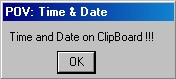
All it does it put the Time and Date on the Clipboard.
I made it so I could put time&date in the header of POV files.
Put it in POV's Tool menu. When needed, you click on it,
then paste it where you want.
You'll get something like this on the clipboard:
// 02:28:32 PM Monday October 06,2014
and the notifaction above
Load TimePov
Ha! Ha! I fooled ya there is a fourth....
Pals a palette maker for the special pallete they all use.
You don't HAVE TO to have this.
You'll only need it if you don't like the palettes I aready made.
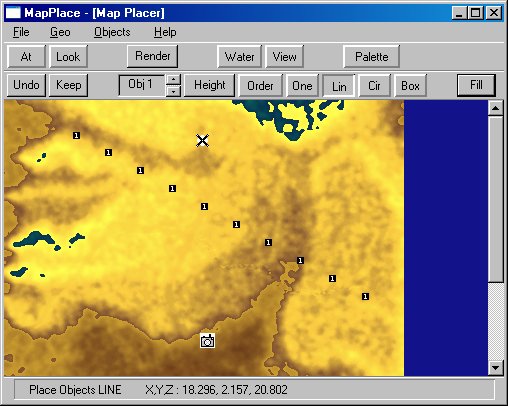
Mapper makes a height field using contour lines. MapperFix takes an
existing height feild and deforms it to your liking. MapPlacer uses an heigh feild
made with the other two and lets you Place things on it.
These programs can be used separately. You don't have to load them all. If you want
to put them all in the same directory you can. Each as a default starting display
which some zips may duplicate.
As of 2017 I have a new web server and can have the help files in the same
zip file as the program.
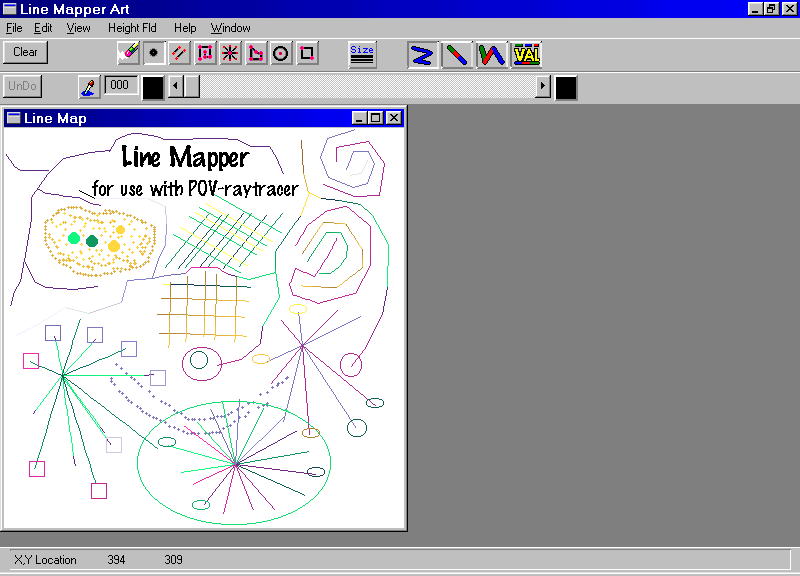
This program
makes height fields using contour lines.
You draw a bunch of contour lines and Mapper will fills it in for you. There are plenty
of tools on this one. You have several ways to draw a line and a few simple shapes.There
is an limited undo. There is no limit on the size of an height feild image.
You can have more than one file open at a time. You load and save the contour lines
as BMP files. And you can save the Height feild as 256 or 65536. The 256 height
feild is saved in the TGA format, the 65536 height feild is saved in the PPM format.
The reason I did this is so I could have all three files stored with the same name in
the same folder.
Load Mapper
You draw a bunch of contour lines and Mapper will fills it in for you. There are plenty
of tools on this one. You have several ways to draw a line and a few simple shapes.There
is an limited undo. There is no limit on the size of an height feild image.
You can have more than one file open at a time. You load and save the contour lines
as BMP files. And you can save the Height feild as 256 or 65536. The 256 height
feild is saved in the TGA format, the 65536 height feild is saved in the PPM format.
The reason I did this is so I could have all three files stored with the same name in
the same folder.
Load Mapper
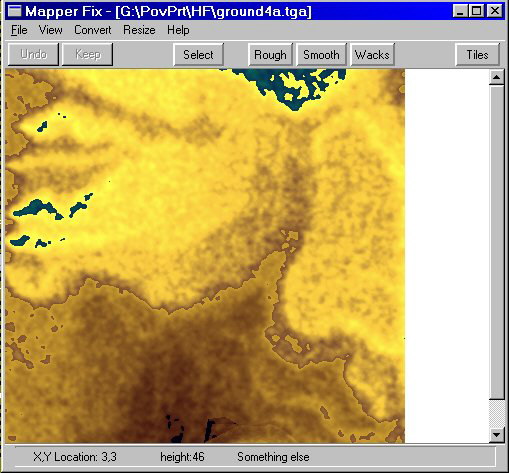
This program takes a height feild that you may
have created in Mapper and
does things to it. It works on the same file types that Mapper produces, that's 256
color TGA and 65536 color PPM . What MapperFix is good at is smoothing a
height field, roughing it up, clipping or raising sections.
You can select a just part of the map to work on.
The selected part is a polygon that you make.
Then you can work on the inside that polygon or outside it.
Load Mapper Fix
does things to it. It works on the same file types that Mapper produces, that's 256
color TGA and 65536 color PPM . What MapperFix is good at is smoothing a
height field, roughing it up, clipping or raising sections.
You can select a just part of the map to work on.
The selected part is a polygon that you make.
Then you can work on the inside that polygon or outside it.
Load Mapper Fix
This last part of the triad is used to put things on an height feild and
set the camera.
It also lets you scale the height feild and adjust all the normal height feild functions.
There is a POV render that let you preview camera locations and object placment.
What you work with is 16 different object arrays that are markers for object locations.
Each object array can hold as many locations as your memory will allow.
The output is a pov file with all the information needed to make a height feild,
place the camera and only the object arrays that you have used.
update: added Pov height to Object Height menue
it will place an object in pov units regardless of terrain
to make fly overs easier
sorry no help fill updates, lost my help engine!
Load MapPlacer
It also lets you scale the height feild and adjust all the normal height feild functions.
There is a POV render that let you preview camera locations and object placment.
What you work with is 16 different object arrays that are markers for object locations.
Each object array can hold as many locations as your memory will allow.
The output is a pov file with all the information needed to make a height feild,
place the camera and only the object arrays that you have used.
update: added Pov height to Object Height menue
it will place an object in pov units regardless of terrain
to make fly overs easier
sorry no help fill updates, lost my help engine!
Load MapPlacer
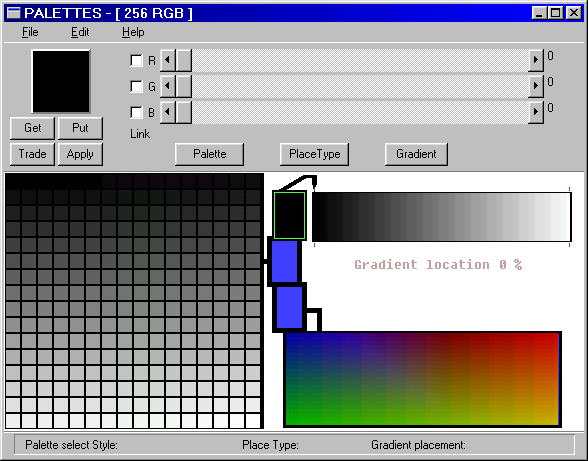
This program makes palettes for Mapper, MapperFix and MapPlacer.
The palettes they use has little to do with the Windows palette. When
interacting with Windows the're 24bit true color. The palettes they use are
special in that the blue part of every color is ordered. The blue value matches
the palette index.
I've play around with different palettes trying to get the perfect one. I even wrote
this to make them. In trying to decide which one I should keep I decided that
I'll let the user decide what palette to choose. So you can load one of my palettes
or use this program to make your own.
Load Palette Maker
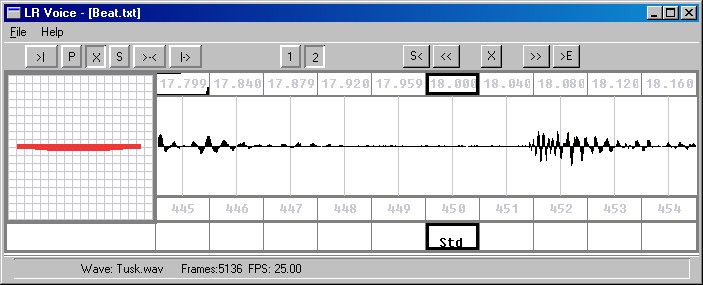
This program helps Lipsyncs a POV animation to a wav.
What it does is let you synchronize a collection of Phonemes to a wav.
Phoneme is a symbol for a sound a voice makes. LR_Voice comes a set of 20 Phonemes.
Which you can change with a little effort.
LR_Voice loads a wav into memory and can take some time on really large wavs.
This is a key frame setup. That is you mark the place where you have a key frame
then let Pov fill the inbetween places. This program will save and load these markers.
You have a display that will show a simplfied animation of a mouth
You can play part or all or part of the the combine wave and animation.
The Output is a txt file POV that can read to make an animation.
Load LR_Voice